

上一篇整理到 Controller 可以把資料傳給 View:
return View(model);
View 再用:
@model UserViewModel
接住資料。
但看到這裡,我又開始混亂了。
專案裡除了:
@model
還一直看到:
ViewModel
Entity
DTO
Model
而且它們裡面常常都長得很像:
public string Name { get; set; }

public string Email { get; set; }
所以我一開始真的會想:
不都是拿來裝資料的嗎?
為什麼要分這麼多種?
後來我才慢慢整理出來:
它們真正的差別
不只是「裡面有哪些欄位」

而是:

「這份資料現在站在哪一層?」
「準備拿去做什麼?」
這篇就先把這幾個最常看到的角色分清楚。
@model 分開第一個先講:
@model UserViewModel
這裡的:
@model
不是一種資料類別。
它是 Razor 的指示詞。
用途是告訴這支 View:
你接下來收到的 Model,是哪一種型別。
例如:
@model UserViewModel
代表:
這支 View 預期收到 UserViewModel
所以後面才可以寫:
@Model.Name
@Model.Email
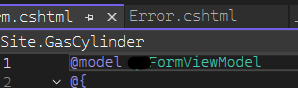
可以先記成:
@model
↓
宣告型別

Model
↓
實際使用 Controller 傳進來的資料
所以:
@model UserViewModel
和:
@Model.Name
用途是不一樣的。
ViewModel 可以先理解成:
專門整理給某一個畫面使用的資料。
假設資料庫裡的使用者資料有:
Id
Name
Email
PasswordHash
RoleId
CreateUser
CreateTime
UpdateUser
UpdateTime
但現在「使用者詳細資料頁」只需要:
姓名
Email
角色名稱
是否可以編輯
那就可以另外建立:
public class UserDetailViewModel
{
    public string Name { get; set; }

    public string Email { get; set; }

    public string RoleName { get; set; }

    public bool CanEdit { get; set; }
}
Controller 再傳:
public IActionResult Detail()
{
    UserDetailViewModel model = new UserDetailViewModel
    {
        Name = "Abbie",
        Email = "abbie@example.com",
        RoleName = "管理員",
        CanEdit = true
    };

    return View(model);
}
View:
@model UserDetailViewModel

<h1>@Model.Name</h1>

<p>@Model.Email</p>
<p>@Model.RoleName</p>

@if (Model.CanEdit)
{
    <button type="button">編輯</button>
}
所以 ViewModel 思考的問題是:
這個畫面需要什麼?
而不是:
資料庫有什麼欄位?
這點很重要。
例如一個 Dashboard 可能需要:
目前使用者
公告列表
待辦數量
是否有管理權限
這些資料可能來自不同地方。
仍然可以包成一個 ViewModel:
public class DashboardViewModel
{
    public UserViewModel CurrentUser { get; set; }

    public List<NoticeViewModel> Notices { get; set; }

    public int PendingCount { get; set; }

    public bool CanManage { get; set; }
}
View 就只需要:
@model DashboardViewModel
然後使用:
@Model.CurrentUser.Name
@Model.PendingCount
所以:
ViewModel
不等於資料表
它更像:
為了這一頁
把需要的資料整理成一包
Entity 可以先理解成:
和資料庫資料比較接近的物件。
假設資料庫有一張:
Users
欄位是:
Id
Name
Email
RoleId
CreateTime
UpdateTime
程式裡可能有:
public class User
{
    public int Id { get; set; }

    public string Name { get; set; }

    public string Email { get; set; }

    public int RoleId { get; set; }

    public DateTime CreateTime { get; set; }

    public DateTime UpdateTime { get; set; }
}
如果專案使用 Entity Framework,還可能在:
DbContext
裡看到:
public DbSet<User> Users { get; set; }
這種物件就很接近資料庫的資料模型。
可以先理解:
資料庫
↓
Entity
↓
程式可以用 C# 物件操作資料
不一定。
初學時可以先把它理解成:
和資料庫很接近
就好。
實際專案可能還有:
關聯屬性
ORM 設定
欄位映射
不直接對應資料表的設定
所以不要硬記成:
Entity = 資料表一模一樣
比較安全的說法是:
Entity 通常代表系統裡需要被保存、查詢,
而且和資料庫結構高度相關的資料物件。
技術上有時候可以。
例如:
public IActionResult Detail()
{
    User user = _userService.GetUser();

    return View(user);
}
View:
@model User
也可能正常顯示。
但企業專案通常不會希望所有畫面都直接依賴 Entity。
原因之一是:
Entity 裡可能有很多畫面根本不需要的欄位
例如:
PasswordHash
CreateUser
UpdateUser
內部狀態
資料庫關聯
但 View 可能只需要:
Name
Email
RoleName
如果全部直接拿 Entity:
畫面層
會和資料庫結構綁得比較緊
資料庫欄位一改,很多 View 都可能被影響。
而且有些欄位根本不應該讓畫面碰到。
所以比較常見的方向是:
Entity
↓
整理
↓
ViewModel
↓
View
例如 Entity:
public class User
{
    public int Id { get; set; }

    public string Name { get; set; }

    public string Email { get; set; }

    public int RoleId { get; set; }
}
ViewModel:
public class UserDetailViewModel
{
    public string Name { get; set; }

    public string Email { get; set; }

    public string RoleName { get; set; }
}
轉換可能是:
UserDetailViewModel model = new UserDetailViewModel
{
    Name = user.Name,
    Email = user.Email,
    RoleName = GetRoleName(user.RoleId)
};
這裡可以看到:
Entity 裡是 RoleId

但畫面真正需要的是 RoleName
所以 ViewModel 不只是把資料原封不動複製一次。
它還可以把:
資料庫適合的格式
整理成:
畫面適合使用的格式
DTO 全名是:
Data Transfer Object
中文常翻成:
資料傳輸物件
可以先理解成:
專門拿來「傳資料」的物件。
常見情況例如:
前端送資料給 API
API 回傳資料給前端
Controller 傳資料給 Service
Service 呼叫其他系統
不同服務之間交換資料
例如建立使用者時,前端只需要送:
Name
Email
可以建立:
public class CreateUserDto
{
    public string Name { get; set; }

    public string Email { get; set; }
}
API Controller:
[HttpPost]
public IActionResult Create(CreateUserDto dto)
{
    // 處理建立使用者

    return Ok();
}
這時 DTO 描述的是:
這次資料傳輸
需要帶哪些內容
例如:
public class CreateUserRequest
{
    public string Name { get; set; }

    public string Email { get; set; }
}
這是:
前端 → 後端
而:
public class UserResponse
{
    public int Id { get; set; }

    public string Name { get; set; }

    public string Email { get; set; }
}
這是:
後端 → 前端
有些專案名稱會直接使用:
Request
Response
有些則會叫:
Dto
實際還是要看團隊命名習慣。
沒錯。
例如:
public class UserDto
{
    public string Name { get; set; }

    public string Email { get; set; }
}
和:
public class UserViewModel
{
    public string Name { get; set; }

    public string Email { get; set; }
}
可能長得一模一樣。
真正差別不是:
它們有幾個 property
而是:
它們被拿來做什麼
可以先這樣分:
ViewModel
↓
為某個 Razor View 準備資料

DTO
↓
為某次資料傳輸準備資料
例如:
MVC:

Controller
↓
UserDetailViewModel
↓
Detail.cshtml
而 API:
React
↓
CreateUserDto
↓
API Controller
或:
API Controller
↓
UserResponseDto
↓
JSON
↓
React
Model 是比較廣泛的概念。
在 MVC:
M
=
Model
它代表系統中的:
資料
資料規則
業務相關物件
所以:
Entity
ViewModel
DTO
某種程度上都可以算是「Model 類型的資料物件」。
但在大型專案裡,如果所有東西都叫:
UserModel
很快就會搞不清楚:
這個到底是資料庫用的?
畫面用的?
API 用的?
所以才會再細分成:
Entity
ViewModel
DTO
| 名稱 | 可以先理解成 | 主要站在哪個角度 |
|---|---|---|
@model |
Razor 宣告 View 接收的型別 | View |
| ViewModel | 為畫面整理的資料 | 畫面需求 |
| Entity | 和資料庫較接近的資料物件 | 資料保存 |
| DTO | 用來傳輸資料的物件 | 資料交換 |
我自己會先記:
@model
不是資料類別
是 Razor 宣告型別的語法

ViewModel
這個畫面需要什麼?

Entity
資料庫裡保存什麼?

DTO
這次需要傳什麼?
假設資料庫有:
Users

Id
Name
Email
PasswordHash
RoleId
CreateTime
public class User
{
    public int Id { get; set; }

    public string Name { get; set; }

    public string Email { get; set; }

    public string PasswordHash { get; set; }

    public int RoleId { get; set; }

    public DateTime CreateTime { get; set; }
}
它比較靠近:
資料庫
public class UserDetailViewModel
{
    public string Name { get; set; }

    public string Email { get; set; }

    public string RoleName { get; set; }

    public bool CanEdit { get; set; }
}
它比較靠近:
畫面
public class CreateUserDto
{
    public string Name { get; set; }

    public string Email { get; set; }
}
它比較靠近:
建立使用者這次資料傳輸
@model UserDetailViewModel
代表:
這支 View 接的是 UserDetailViewModel
這也是我後來才比較有感覺的地方。
假設今天查使用者資料。
可能會經過:
Database
↓
User Entity
↓
Service
↓
UserDetailViewModel
↓
Controller
↓
View
如果是 API,可能是:
Database
↓
User Entity
↓
Service
↓
UserResponseDto
↓
API Controller
↓
JSON
↓
React
所以同一個「使用者」,在不同層可能不是同一個 C# 類別。
一開始會覺得:
怎麼一直轉來轉去?
但其實是因為每一層在意的內容不一樣。
小專案可能會覺得很麻煩。
但當系統越來越大,如果一個 Entity 同時被:
資料庫
Razor View
API
表單
其他服務
全部直接拿去用。
只要 Entity 改一個欄位,就可能一堆地方一起受到影響。
分開之後:
資料庫改動
不一定直接影響 View

View 增加顯示欄位
也不一定需要修改 Entity

API 調整格式
也不用直接改資料庫物件
所以它其實是在降低不同層之間綁得太死的問題。
這點也很重要。
並不是所有專案一定會有:
Entities
ViewModels
Dtos
三個漂亮資料夾。
有些專案可能叫:
Models
Models/ViewModels
RequestModels
ResponseModels
Entities
DataModels
也可能根本全部放在:
Models
裡面。
所以不要只靠名稱判斷。
比較實用的是去看:
這個類別被誰使用?
假設我看到:
UserInfo
完全不知道它是 Entity、ViewModel 還是 DTO。
我現在會先用:
Shift + F12
找它被哪些地方使用。
如果看到:
@model UserInfo
它很可能是拿給 View 用。
如果看到:
DbSet<UserInfo>
或資料庫查詢大量使用它,它可能比較接近 Entity。
如果看到:
public IActionResult Create(UserInfo request)
或 API request / response 裡使用,它可能是 DTO 或 Request Model。
所以:
不要只看檔名猜

要看它實際在哪一層流動
這就是這篇開始比較實用的地方。
假設需求是:
使用者詳細資料頁
多顯示一個「部門名稱」
不要一看到資料缺少就直接改 Entity。
先看:
View 現在使用哪個 @model?
例如:
@model UserDetailViewModel
那就先找:
UserDetailViewModel
看有沒有:
public string DepartmentName { get; set; }
如果沒有,可能需要增加。
接著再往回追:
Controller 傳入哪個 ViewModel?
↓
Service 在哪裡組 ViewModel?
↓
資料來源有沒有 DepartmentName?
↓
資料庫查詢有沒有查到?
所以排查順序可能是:
View
↓
ViewModel
↓
Service
↓
Entity / DTO
↓
Database
而不是一開始就:
資料沒顯示
↓
改資料庫
這會是後面追企業專案非常常用的一條線。
例如:
Entity 裡是 RoleId = 1

畫面需要:
RoleName = "管理員"
可以在 Controller 寫:
model.RoleName = entity.RoleId == 1
    ? "管理員"
    : "一般使用者";
技術上不是不能做。
但如果開始出現很多:
角色轉換
狀態判斷
權限判斷
資料組合
全部塞到 Controller,Controller 很快就會變得很大。
這也是為什麼下一篇要進到:
Service
開始看:
Controller 為什麼不要把查資料、轉換、規則判斷全部自己做?
先不用把每個名詞背得非常死。
我現在比較想記的是:
看到一個資料類別
先問:

它在哪裡使用?
它是給誰看的?
它準備去哪裡?
最簡單的分類:
@model
↓
Razor 用來宣告 View 接收的資料型別

ViewModel
↓
整理「畫面需要的資料」

Entity
↓
整理「和資料庫比較接近的資料」

DTO
↓
整理「這次需要傳輸的資料」
例如:
Database
↓
Entity
↓
Service 整理
↓
ViewModel
↓
Controller
↓
View
而 API 可能是:
React
↓
DTO
↓
Controller
↓
Service
↓
Entity
↓
Database
真正重要的不是:
這個 class 裡有 Name 和 Email
所以它是哪一種?
而是:
這個 class 現在站在哪一層?
負責把資料送去哪裡?
下一篇開始進到企業專案裡很重要的一層:
Controller 明明已經收到請求了,為什麼不能自己查資料、判斷規則、轉換欄位、存資料庫全部一次做完?Service 到底是在幹嘛?


 iThome鐵人賽
 看影片追技術